Introduction
Introduction
This manual is intended for users authorized on the electronic trading platform (ETP). Each user who has successfully completed registration gains access to their personal account. User capabilities within the personal account vary depending on their assigned roles. However, certain sections are accessible to all users:
-
Personal Information section:
-
Managing user data;
-
Changing password;
-
Handling incoming messages;
-
Managing messages;
-
Accessing training materials.
-
-
My Organization section:
-
Organization details;
-
Organization's employees;
-
Organization's bank accounts;
-
Change history.
-
The functions of each of these sections will be explained in more detail below.
Terms and Definitions
Electronic Trading Platform (ETP) – an automated information system designed to conduct competitive procurement procedures electronically.
Operator (of the ETP) – a legal entity that owns the automated trading platform, including the necessary hardware and software for its operation, and facilitates the electronic trading processes.
Personal Account – a dedicated section of the electronic trading platform accessible only to users authenticated by login and password. It allows users to access services provided by the Operator and track their provision status.
Public Section – features of the electronic trading platform accessible to all persons regardless of registration status.
User (of the ETP) – an individual who has completed the registration process in accordance with the ETP Regulations.
Organizer (of the trading procedure) – an ETP user who establishes conditions and publishes information related to conducting electronic trades.
Participant (of the trading procedure) – an individual entrepreneur or legal entity registered on the ETP that engages in procurement activities, such as submitting bids and price proposals.
Trading procedure (procedure, trade) – the process for selecting a supplier with the purpose of concluding a contract to satisfy the organizer's needs for goods, works, or services.
Open trading procedure – a procedure in which any organization registered as a "Participant" on the ETP may participate.
Lot – a specific product, work, or service that constitutes the subject matter of a trading procedure and to which participation bids can be submitted. A trading procedure may include one or multiple lots.
Procurement documentation – a set of documents approved by the customer/organizer containing information about the procurement subject, terms, and conditions of participation, application submission rules, selection criteria for the winner, and contractual conditions following the trading procedure.
Application (Bid) – an electronic document submitted by a trading participant to take part in the trading procedure following these Regulations.
Winner (of the trading procedure) – one or more participants with whom a contract may be concluded for the supply of goods, provision of works, or services in accordance with the conducted trading procedure.
Certification – a procedure aimed at confirming participants’ ability to perform certain types of services declared during registration.
Descending auction – a procedure where participants sequentially submit price proposals. The winner is the participant who offers the best price.
Internal tender – a procurement method where participants’ bids are evaluated according to a set of competitive criteria. The winner is selected by the organizer based on the price offer. The organizer is not obligated to conclude a contract based on the tender results.
Procurement by payment invoice – a procurement method where a contract is concluded with a specific counterparty without a supplier selection stage.
Request for price proposals – a procurement method where participants’ bids are evaluated based on competitive criteria. The winner is selected by the organizer according to the price offer, but the organizer is not required to conclude a contract.
Marketing analysis – a procurement method where bids are assessed according to competitive criteria, but no winner is selected. Procurement and new trading stages are formed based on the analysis.
Single source procurement – a procurement method where a contract is concluded with a specific counterparty without a supplier selection stage.
Open competition (Nadloc) – a competitive procurement method where the winner is the participant offering the best contract execution terms.
Commodity Exchange – a procurement method where bids are evaluated based on competitive criteria. Bids are accepted on the Commodity Exchange platform. The winner is chosen by the organizer based on the proposed price and overall bid evaluation according to trading criteria. Results are summarized in iTender SRM.
Re-bidding – a procedure allowing participants to improve their offers relative to the main trading stage.
Electronic document – a document whose information is presented in electronic digital format.
System Registration
The system registration process is described in the Registration Manual.
System Authorization
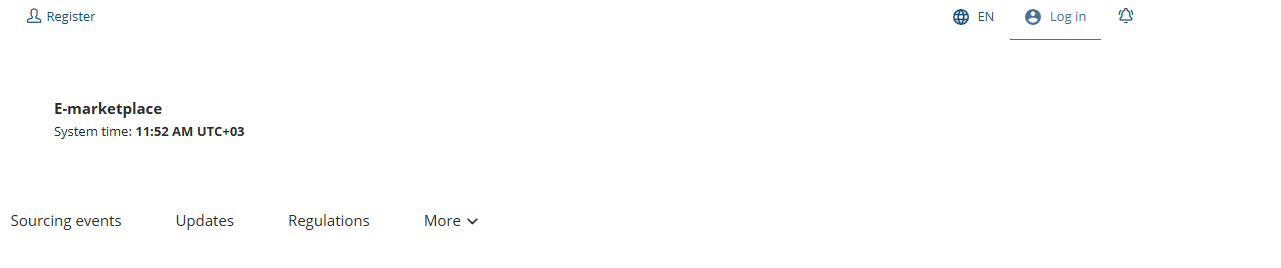
To operate within the system on behalf of their company, a user must complete the authorization process. To do so, click the "Login" button at the top right corner of the screen:
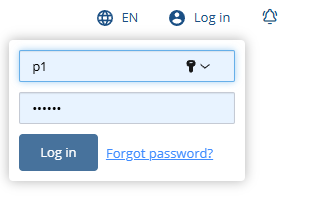
In the opened panel, enter your username and password, then click "Login":
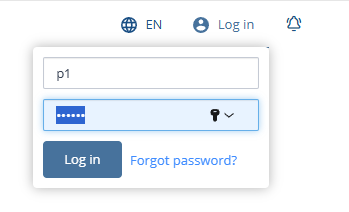
If an error occurs, the user will be prompted to re-enter the username and password.
When credentials are entered correctly, the navigation menu will display the user’s surname and initials along with the company name on behalf of which the user is operating, instead of the authorization panel:
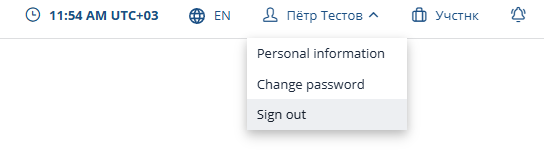
To log out, click "Logout" in the dropdown menu under the user information section.
If the user forgets their password, they can initiate password recovery by clicking "Forgot password?" in the login panel:
To restore the password, enter your email address registered on the platform, your login, and click "Recover":
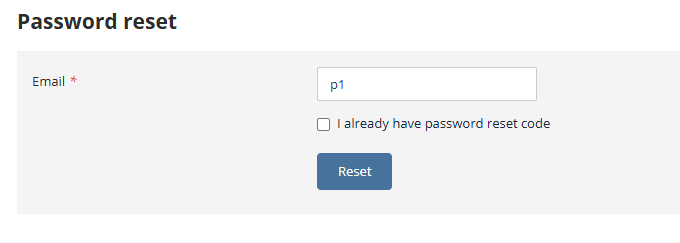
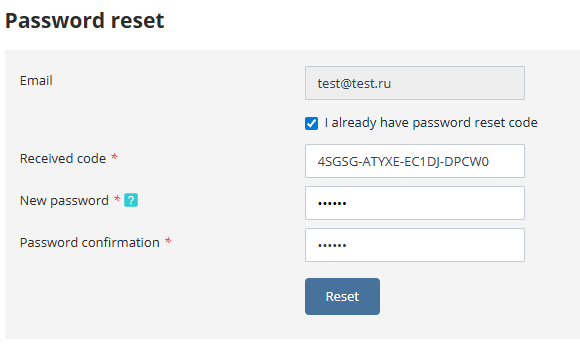
A password recovery code will be sent to the specified email address. Then check the box “I already have a password reset code,” enter the received code and a new password, and click "Recover":