Organization Data Changes
Submitting a Request to Change Organization Data
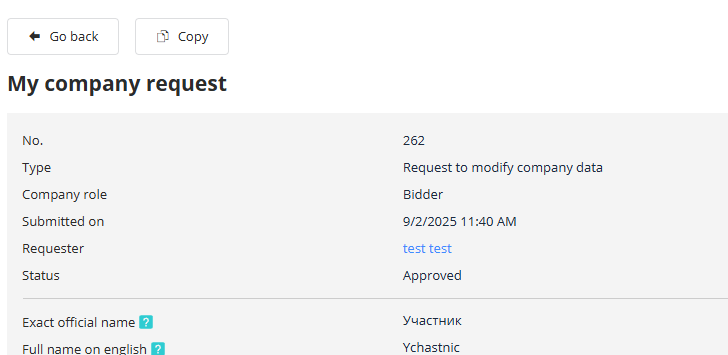
To update the general company information or upload new documents, an employee with the "Company Administrator" role can click the "Create Organization Data Change Request" button on the "My Organization" page. This directs the user to the data change request editing page:

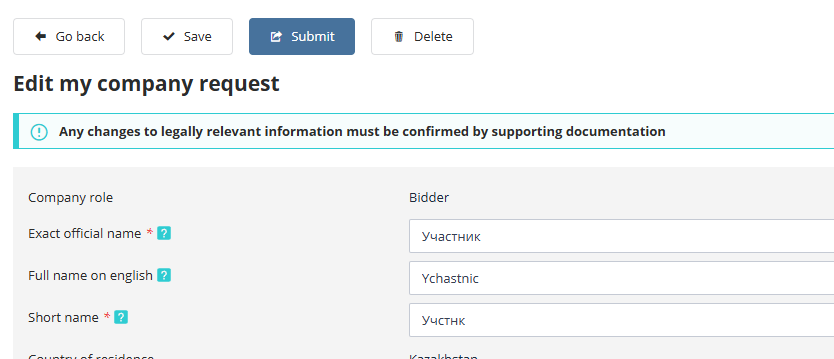
Here, all organization fields may be edited, including legal information, contact details, and organizational documents. When modifying legally significant data, it is mandatory to attach supporting documents. In the "Comment" field, users can specify which data were changed to facilitate faster review by the operator. After completing the fields, click "Save". To submit the request for operator review, click "Submit".
Changes will become effective only after approval by the operator.
All requests submitted by your company can be viewed in the operator request log. This log is available to users with the "Company Administrator" role.
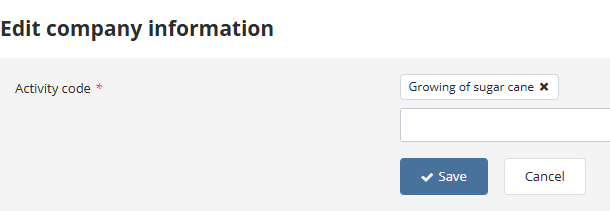
On the "My Organization" page, editing of economic activity types and the company's region is also available. To do this, click the "Edit" button:

On the page that opens, enter the current data and save the changes:
"Operator Request Log" Section
A list of company requests is displayed in the operator request log. To access the log, select "Operator Request Log" under the "My Organization" section in the left-hand menu:
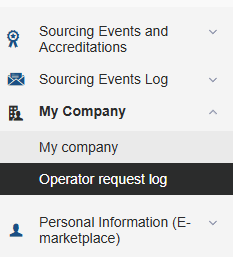
The log is accessible to users with the "Company Administrator" role.
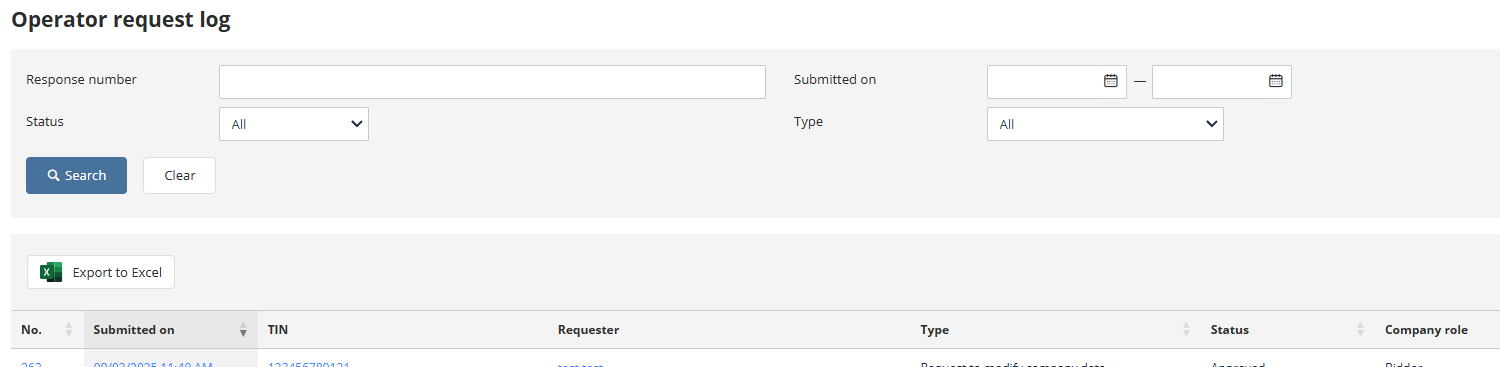
To view a request, click the corresponding link in the request number.
If the request status is "Draft," it can be edited, submitted, or deleted using the respective buttons: