Preparing a Registration Application
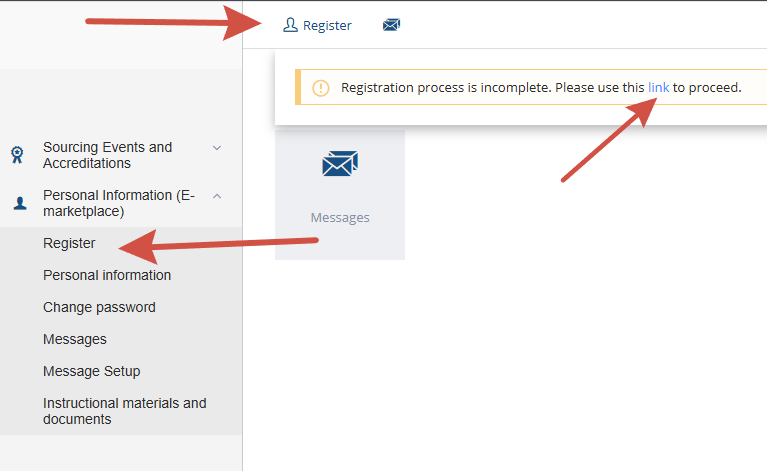
To gain access to participate in trading on the platform, a user must register in the system. To begin the registration process, click the "Registration" link located in the upper left corner of the system interface:

To submit a registration application, complete the following steps in order:
-
Enter user information (representative of the registering company),
-
Confirm the email address,
-
Complete the counterparty information,
-
Attach the documents requested by the operator to the application,
-
Submit the application for operator review.
Registration may be paused at any point during the application process. You can resume editing from the step where it was paused. To return to completing the registration application, log into the system and navigate via the personal account menu or the link in the informational message to the saved draft.