Resubmitting a Registration Application
Steps Required to Resubmit an Application
If the operator finds issues with the data or documentation in your registration application during review, they may reject the application.
In this case, a notification of rejection will be sent to your personal account and registered email address. This notification will specify the reasons for rejection, which must be addressed before resubmitting the application.
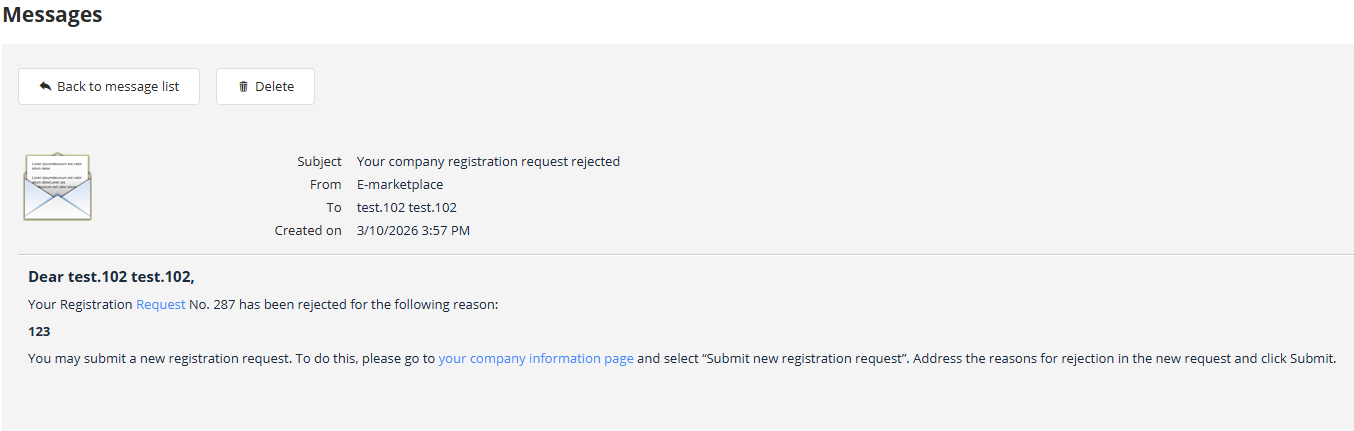
To resubmit your application, navigate to the «My Organization» page. For example, by clicking the link with this title in the platform’s top menu:

On the organization page, click the button «Submit a New Registration Application»:
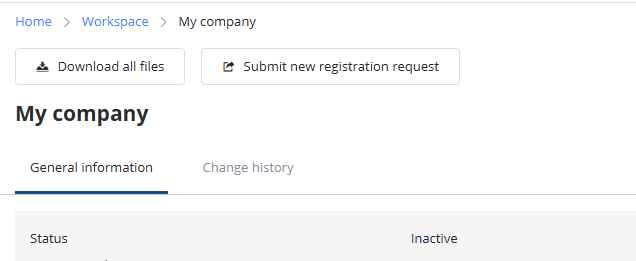
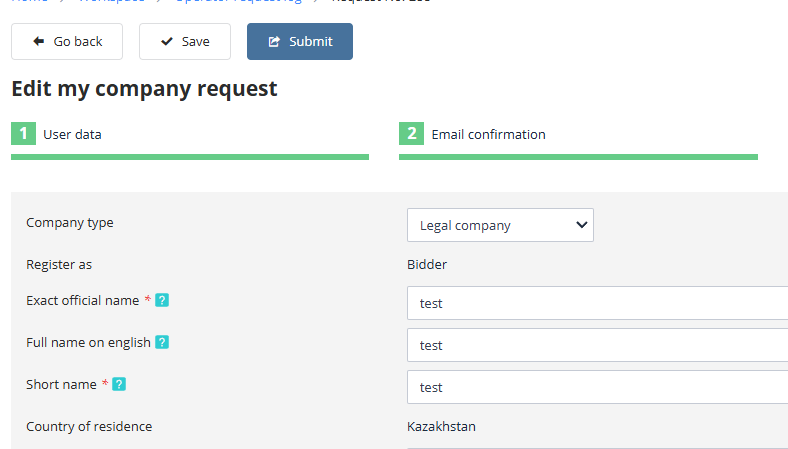
A new registration application will be created as a copy of the last rejected application, allowing you to edit the saved information.
After making all corrections per the operator’s comments, click the «Submit» button:
You may repeat this resubmission process as many times as necessary until the application is accepted by the platform operator.
Actions Within the System Following Successful Registration
Upon completion of registration, all tools required to participate in trading on the electronic trading platform (ETP) will become available.
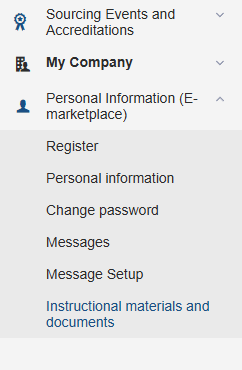
Instructions for platform usage are provided in the participant’s manual. You can download this document from the sidebar menu under “Personal Information” by selecting the “Training Materials” option:
Requirements for the User’s Workstation on the ETP
To operate on the ETP, the user’s employee must have an automated workstation consisting of a single computer or laptop with at least the following configuration:
-
Processor: 32-bit (x86) or 64-bit (x64) with a clock speed of 1.5 GHz or higher,
-
RAM: At least 1 GB for a 32-bit processor or 2 GB for a 64-bit processor,
-
Available hard disk space: 200 MB or more,
-
Monitor resolution: 1280x800 or higher,
-
Required installed software:
-
Microsoft Windows 7 Starter or a later version;
-
CryptoPro CSP version 4.0 or above for handling local digital signatures;
-
CryptoPro ECP Browser plug-in for managing digital signatures;
-
Web browser;
-
Document creation software (MS Office, WordPad);
-
File compression utilities (RAR, ZIP, WINZIP);
-
PDF reader software (Adobe Acrobat or equivalent);
-
To ensure proper functionality on the ETP, it is recommended to disable all non-standard browser add-ons (such as Skype, ICQ, etc.) as they may alter the structure of generated electronic documents.
All standard browsers—including Opera, Chrome, Firefox, Safari, and others—are supported for viewing the platform pages.