Trading Procedures Section
This section provides a list of trades conducted on the platform. To access this section, use the Trading Procedures tab on the electronic trading platform’s main page:

Search filters enable you to locate specific trades. You can generate a list of trades based on criteria such as lot status, method of conducting, lot or procedure name and number, types of economic activities, and types of objects or projects related to the trades. To do this, complete the known search criteria and click the Search button:
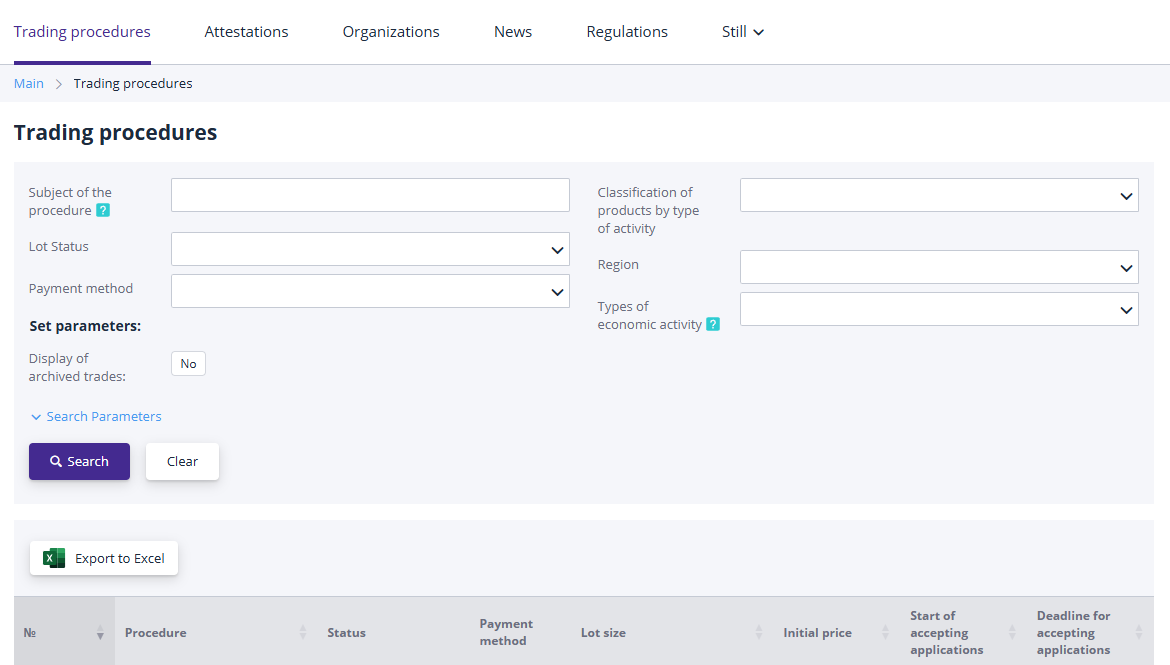
To clear the search filters, click the Clear button.
Working with search results:
-
To view procedure details, click the link in the procedure number;
-
To view lot information, click the link in the “Lot” field;
-
To change the sorting order of search results, click the column header in the results table. A symbol indicating the sorting order will appear in the column;
-
To specify additional search parameters, click on the Additional Parameters option.
A lot may have the following statuses:
-
Notice Published – The notice has been posted on the platform, but the date and time for accepting applications have not yet arrived;
-
Accepting Applications – Applications for participation are open; participants can submit or withdraw their applications for the lot;
-
Participant Evaluation – The organizer is reviewing participants’ applications;
-
Auction in Progress – The trading session for the procedure has started;
-
Results Compilation – The trades in the procedure have ended; the organizer is deciding on the winners or on continuing trading through a re-auction;
-
Completed – The procedure is finalized, and a winner has been selected;
-
Cancelled – The procedure has been cancelled by the organizer.
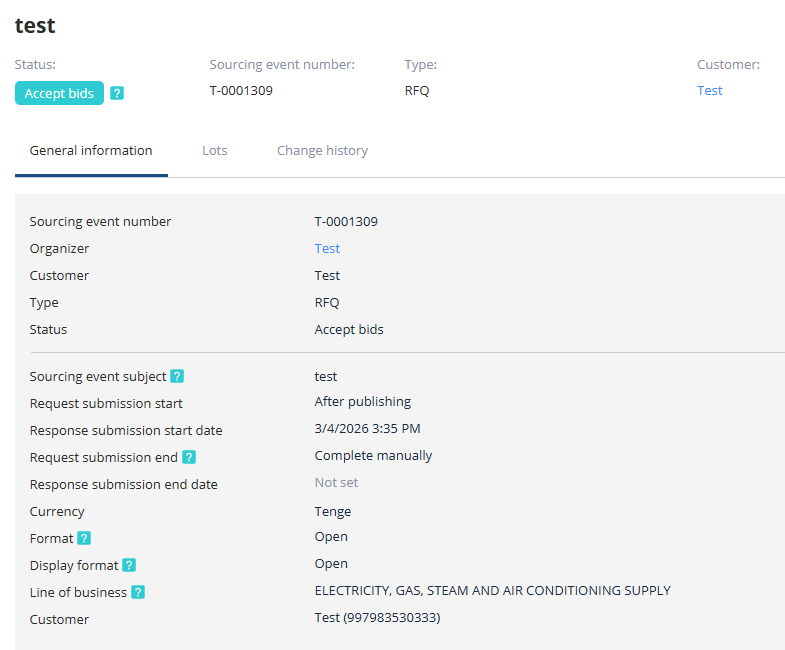
To view detailed procedure information, navigate to the procedure’s page by clicking on the procedure number link:

The procedure information is organized into subsections:
-
General Information – Contains all key details about the procedure;
-
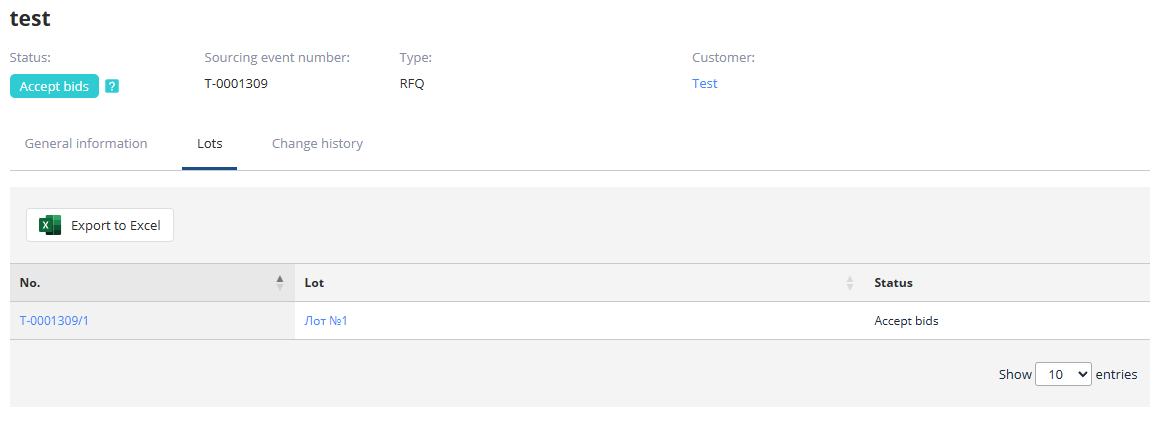
Lots – Lists all lots associated with this procedure. Different lots may have different winners based on trading results;
-
Applications – Provides information about organizations that submitted applications for participation in the procedure;
-
Results – Displays the winners of all lots within the procedure. The organizer determines the winners and attaches the Results Protocol when publishing outcomes;
-
Change History – Tracks the history of changes to critical statuses (stages) within the procedure.
For detailed lot information, click the links in the “No.” or “Lot” columns:
On the resulting page, you can review all the information provided by the organizer and decide whether to participate in the procedure. To submit an application, users must be registered and logged in (the registration process is described in the platform’s registration guide).